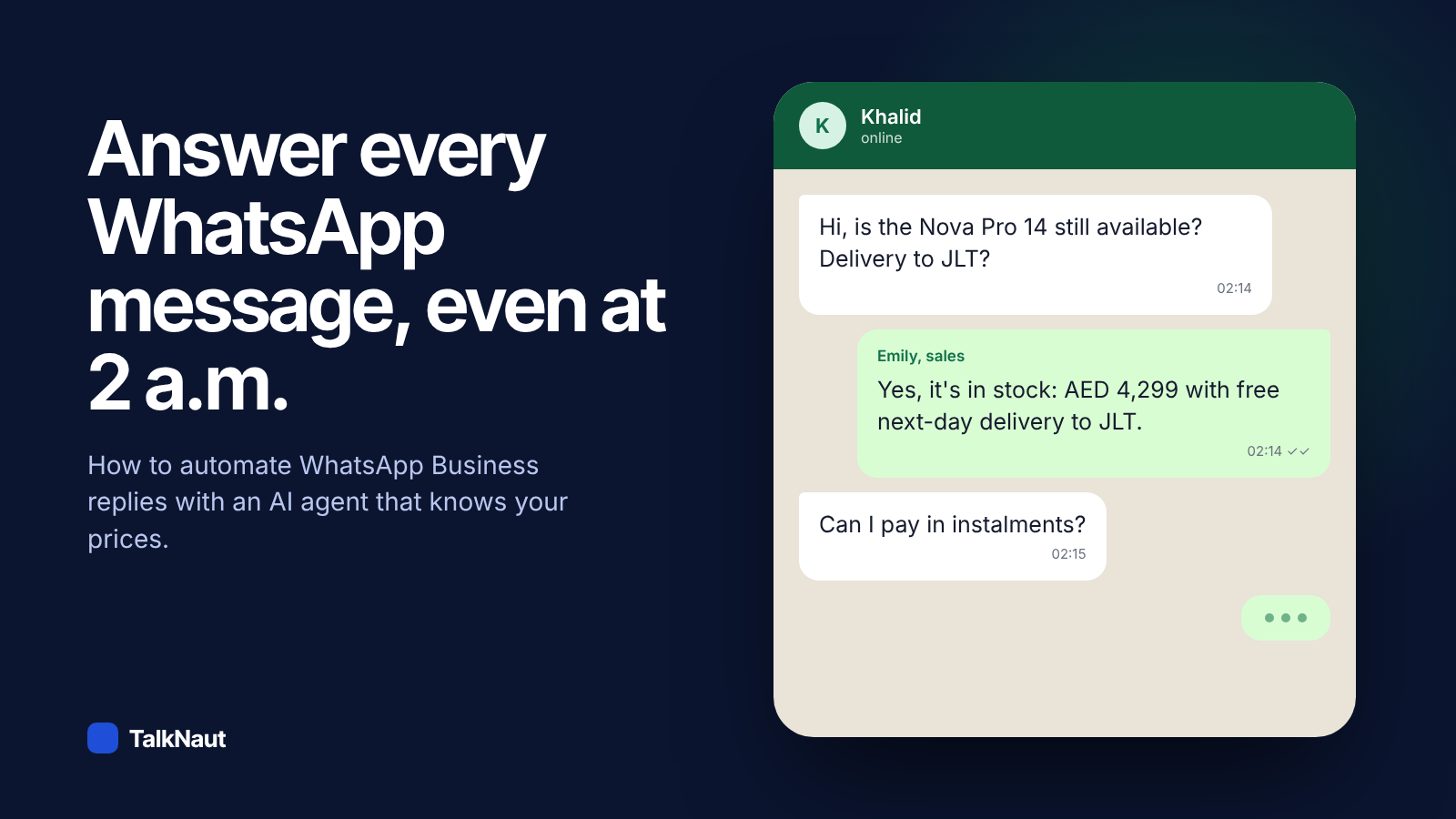
In short: to automate WhatsApp Business replies properly, connect your number to the WhatsApp Cloud API through a platform like TalkNaut, give an AI agent your prices, policies and product pages, and let it answer every message around the clock. It hands the chat to a person when the customer asks for one or the question needs a decision. You can keep using the WhatsApp Business app on your phone at the same time.
Why automate WhatsApp replies at all
On WhatsApp, customers expect an answer while they are still looking at the chat. A buyer who asks "is it in stock?" at 11 p.m. and hears back the next morning has often bought somewhere else. Automation is not about replacing your team. It is about answering the many routine questions instantly, so your people spend their time on the conversations that need them.
The three ways to reply automatically
1. WhatsApp Business app quick replies and away messages
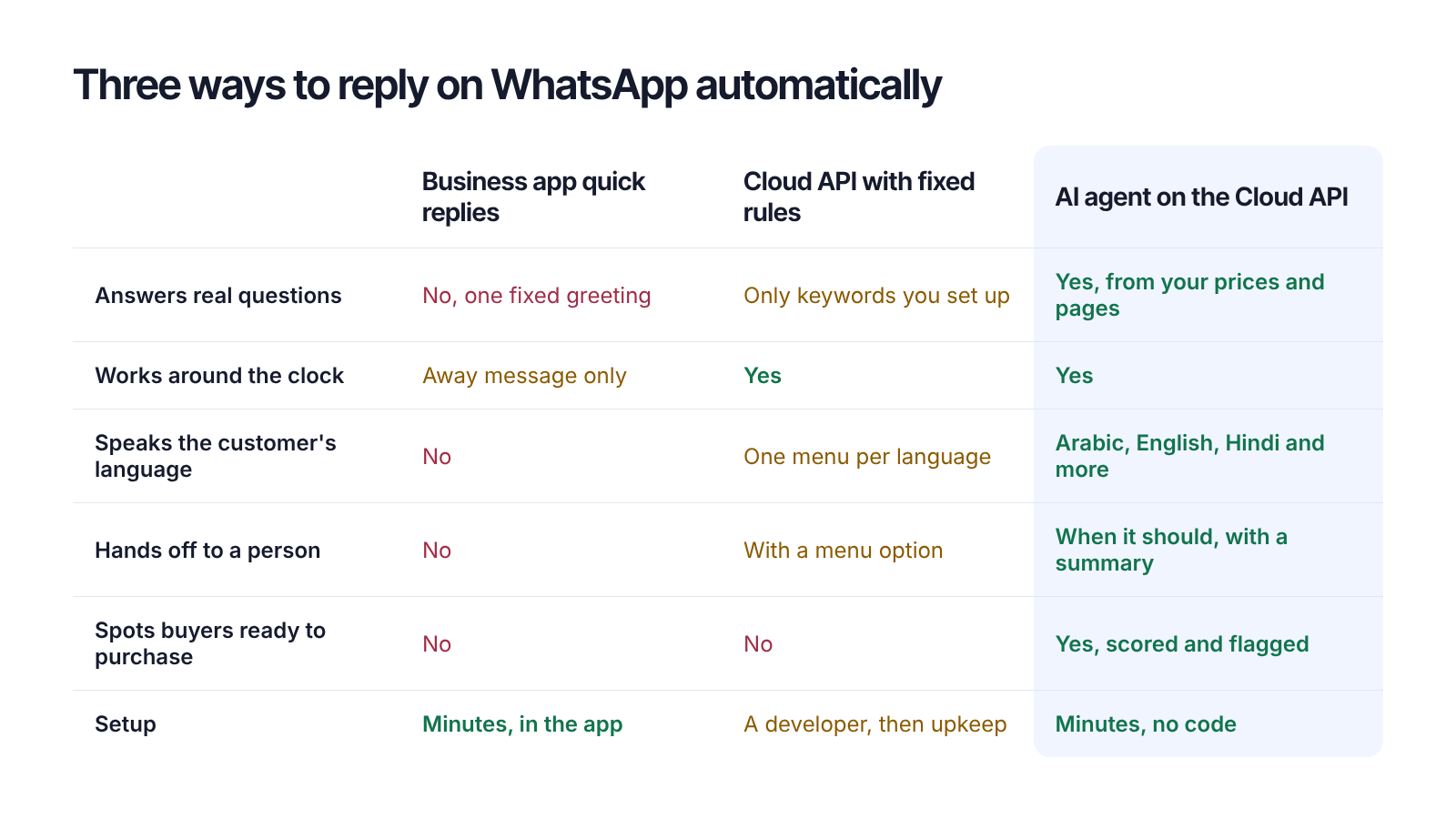
Free and built into the app. You can set a greeting, an away message and saved replies that you send with a shortcut. They don't understand the question, so they can't tell a customer the price of the item they asked about.
2. A rule-based bot on the WhatsApp Cloud API
A menu ("press 1 for prices, 2 for delivery") or keyword rules. It works for very narrow flows, but customers rarely write the keyword you expected, menus feel slow, and every price change means editing the bot.
3. An AI agent on the WhatsApp Cloud API
The agent reads the customer's message like a person would, looks up the answer in what you gave it (your website, price lists, PDFs, product catalogue) and replies in the customer's language. It can ask a follow-up question, recommend a product, take the customer's details and pass the chat to your team with a summary.
What you need before you start
- A WhatsApp Business account. Personal WhatsApp numbers can't be connected to any business software, but switching to the free WhatsApp Business app keeps your number and chats.
- Your knowledge: the website, a price list or catalogue, delivery and returns rules, opening hours. The agent only says what it can find here.
- Ten minutes.
How to set up an AI agent on WhatsApp, step by step
- Create your workspace. Sign up for TalkNaut and add your website. It reads your pages and drafts a business profile you can correct.
- Create an agent. Give it a name, a job (sales, support or customer care), the languages it should speak and the tone you want. For example Emily, sales, English and Arabic, warm and direct.
- Connect WhatsApp. In Connect apps, choose WhatsApp and log in with Facebook. Pick your number. If you use the WhatsApp Business app, scan the QR code with your phone so the app keeps working next to the agent.
- Test it. Send your number a few real questions from another phone: a price, a delivery question, a complaint. Correct any answer with one click; the agent learns from your corrections.
- Decide when it hands over. For example: discounts above a limit, complaints, orders over a certain size, or whenever the customer asks for a person. Those chats land in your inbox and the agent stops talking.
Rules that keep it trustworthy
- It never makes up a price. If the answer isn't in your knowledge, a good agent says it will check with the team instead of guessing.
- It says it's an AI assistant when asked. Customers accept automation; they don't accept being misled.
- It respects WhatsApp's 24-hour window. Businesses can reply freely within 24 hours of the customer's last message. After that, only approved message templates can be sent.
- You can step in any time. When you reply from your phone or the inbox, the agent pauses for that chat so it never talks over you.
Measure whether it works
Track three numbers for the first two weeks: how fast customers get the first reply, how many chats the agent solved without a person, and how many leads it flagged as ready to buy. Then look at the questions it couldn't answer; each one is a gap in your knowledge that takes a minute to fill.
Frequently asked questions
Can I automate WhatsApp replies without coding?
Yes. With TalkNaut you connect your number with a Facebook login and set up the agent in plain language. No code, no developer account.
Will I lose the WhatsApp Business app on my phone?
No. If you connect with the "keep using the WhatsApp Business app" option, the app and the agent work side by side, and your replies from the phone pause the agent for that chat.
Can the AI agent reply in Arabic and English?
Yes. It answers in the language the customer writes in, including Arabic, English, Hindi, Urdu, Persian and many others, and it can switch languages mid-conversation.
What does WhatsApp charge for automated replies?
Replies inside the 24-hour customer service window are free from WhatsApp's side. Messages your business starts, such as offers or reminders outside that window, are charged by Meta per conversation, depending on the country.
What happens when the AI doesn't know the answer?
It tells the customer that a team member will reply, passes the chat to your inbox with a summary, and records the question so you can add the answer to its knowledge.
Ready to try it on your own number? Start the 14-day free trial, no card needed.