AI agents and knowledge
Languages, chat teams and transfers
Agents answer in the customer’s language, hand over to a teammate who speaks it, and transfer chats to specialists or a human.
Languages
talknaut.com/app/agents
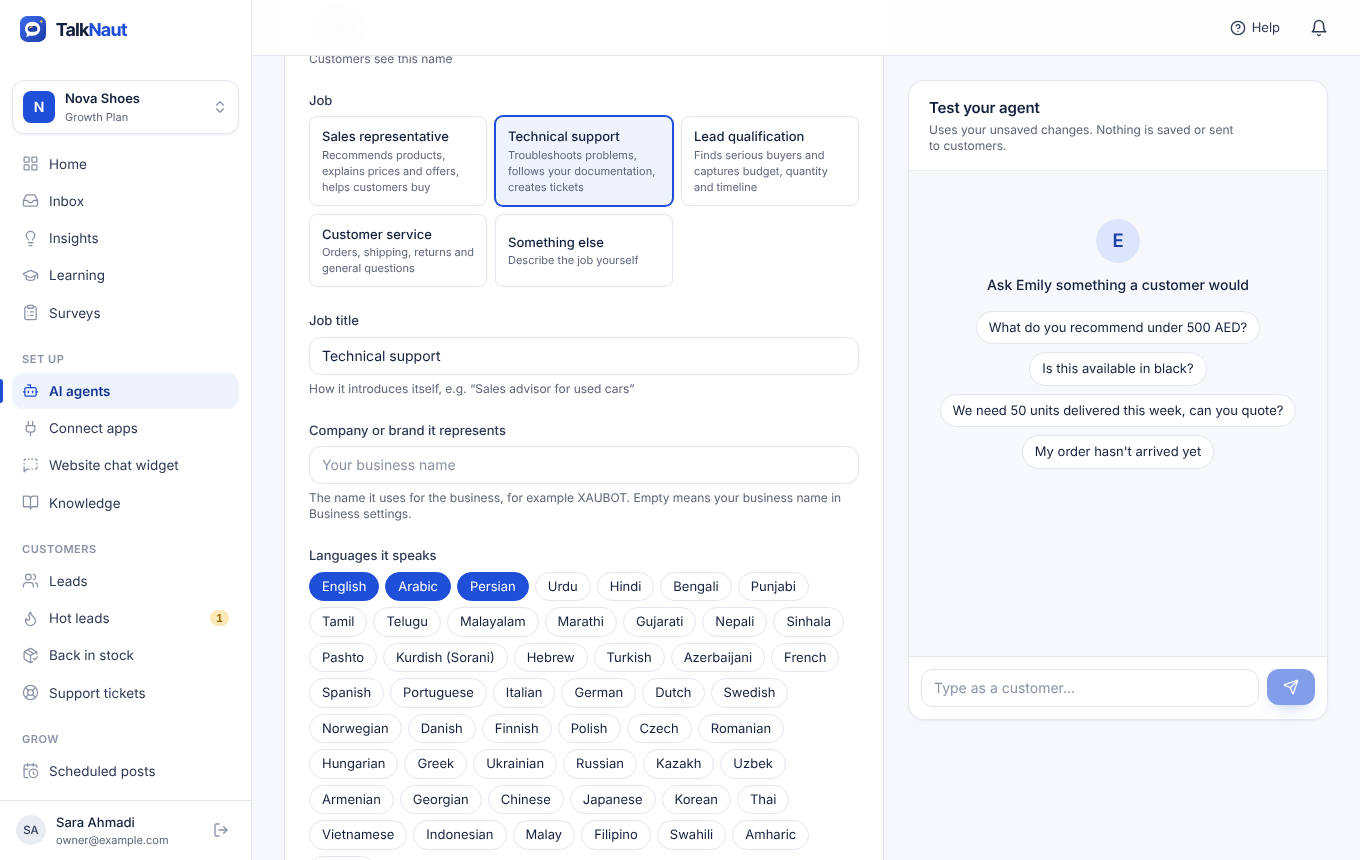
Each agent has the languages it speaks. If a customer writes in another one, the agent passes the chat to a teammate on the same app who speaks it. If nobody does, it answers in the customer’s language anyway and tells you.
Chat teams
talknaut.com/app
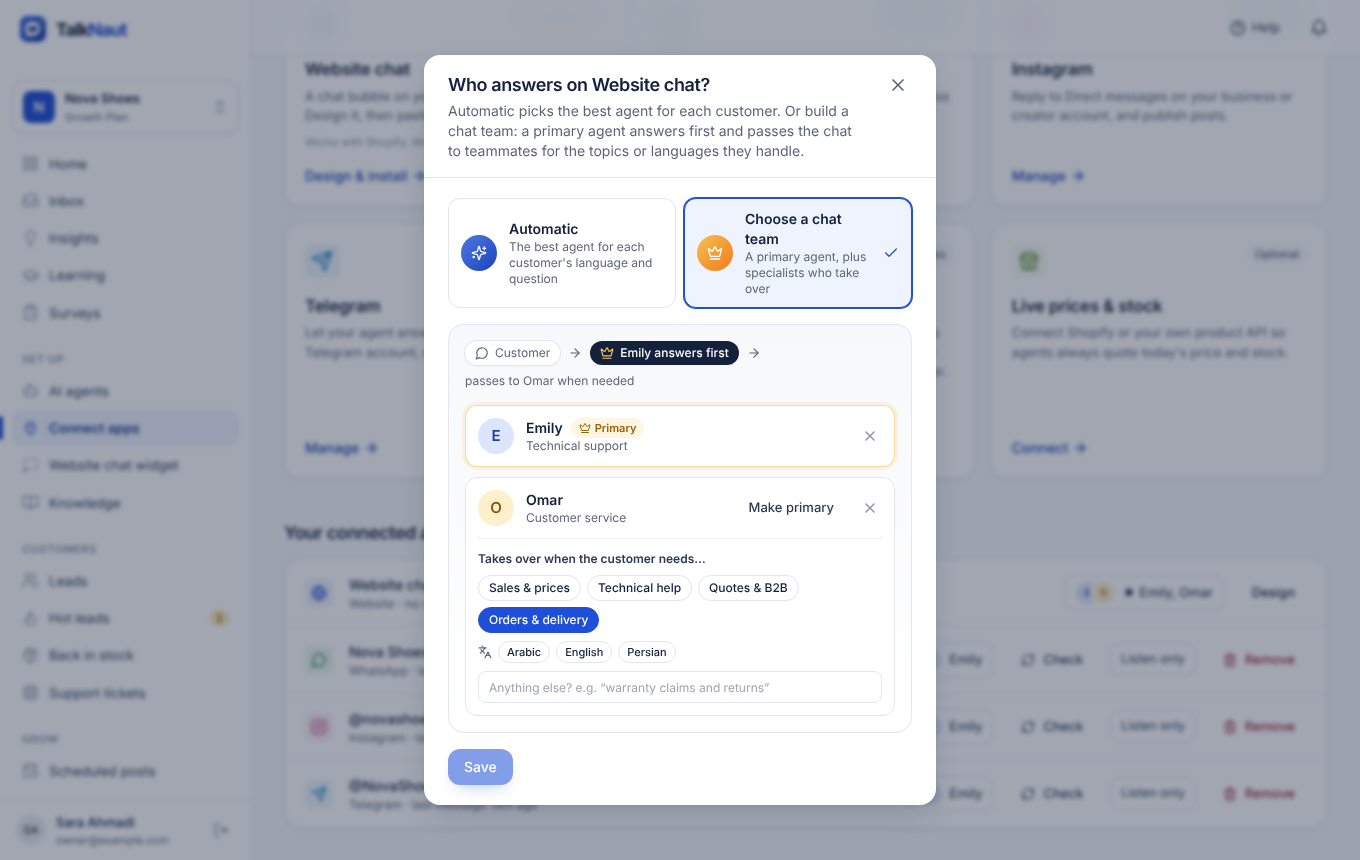
On any connected app, press Who answers and choose Choose a chat team: the primary agent answers first and passes the chat to specialists for the topics (sales, technical help, orders and delivery…) or languages they handle. Automatic instead picks the best agent for each customer.
Transfers
- A customer can ask for someone by name (“can I talk to Omar?”) and the chat moves to Omar.
- Asking for a person sends the chat to your team, with a notification. The agent stops answering that chat until you hand it back.
- In the inbox, press Take over on any chat to answer it yourself, and Return to AI to give it back.
Common problems
Something not working? Find your message below.
The agent didn’t transfer when asked
The other agent must be in that app’s chat team (or be the default agent). Open the app’s Who answers setting and add it.
The agent answers in the wrong language
It follows the customer’s latest message. Very short messages (“ok”, a number) keep the previous language. Add the language to the agent if you want it to keep the chat.
Related guides
Create and set up an AI agentFive steps: the job, name and style, what it knows, where it answers, and a test. Plus brand name and personality.The inbox: see every chat and take overAll apps in one place. Read along, reply yourself, hand the chat back to the agent, and see what the customer wants.Test your agent before customers doChat with any agent in the dashboard, try hard questions, and fix answers on the spot.