Grow
Scheduled posts
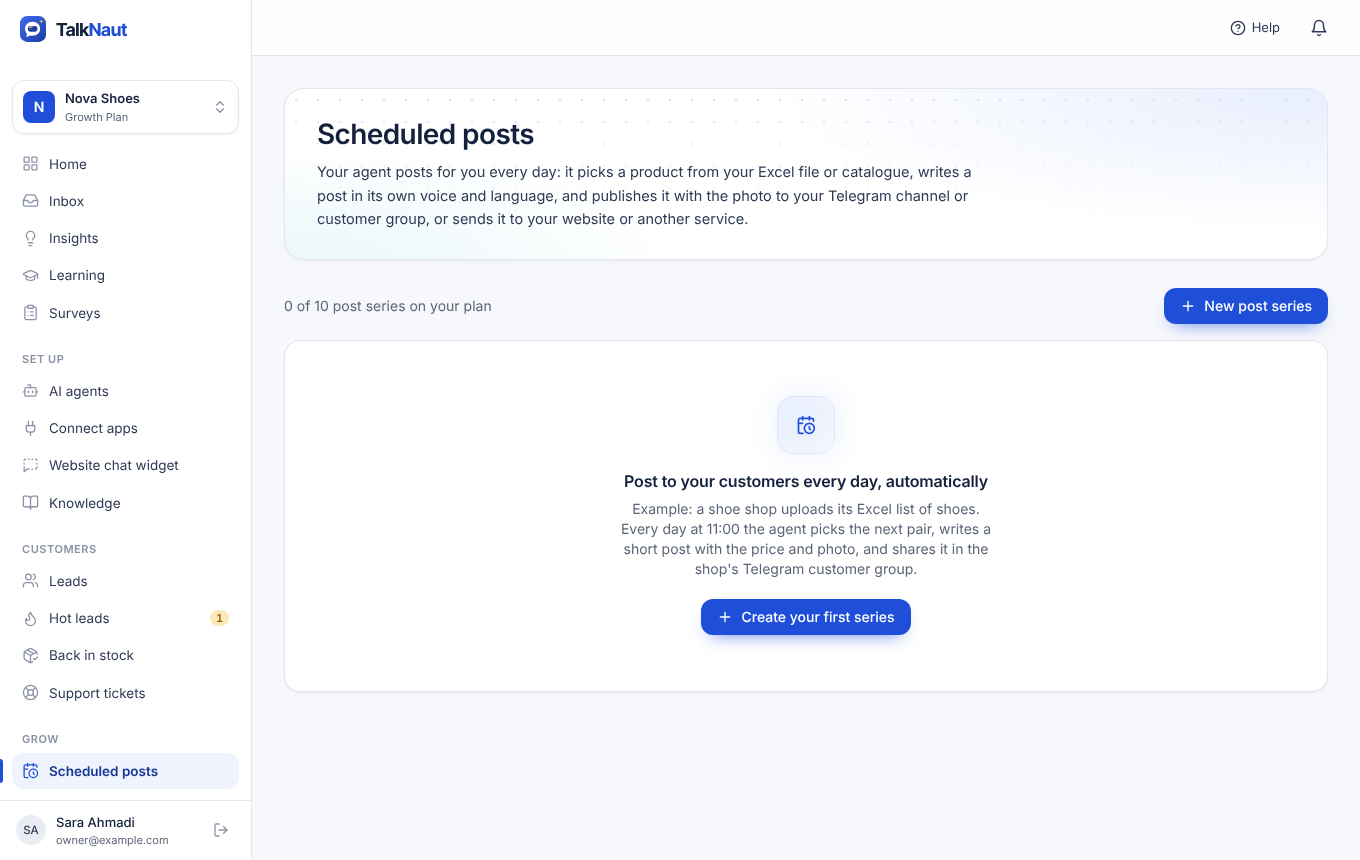
Set up a post series once: the agent writes and publishes posts to Instagram and your Telegram channel at the times you choose.
Create a post series
talknaut.com/app/posts
 1
- 1
What to post
Click New post series. Pick the source: your website’s products, an Excel or CSV file, or your own service (webhook). Choose the order: one by one, or random with no repeats.
- 2
Who writes it, and how
Pick the agent that writes the captions and the language.
- 3
Where
Your Instagram accounts and Telegram channels or groups.
- 4
When
Add the days and times. Press Preview a post to see one, Post one now to test, then Save and turn on.
talknaut.com/app/posts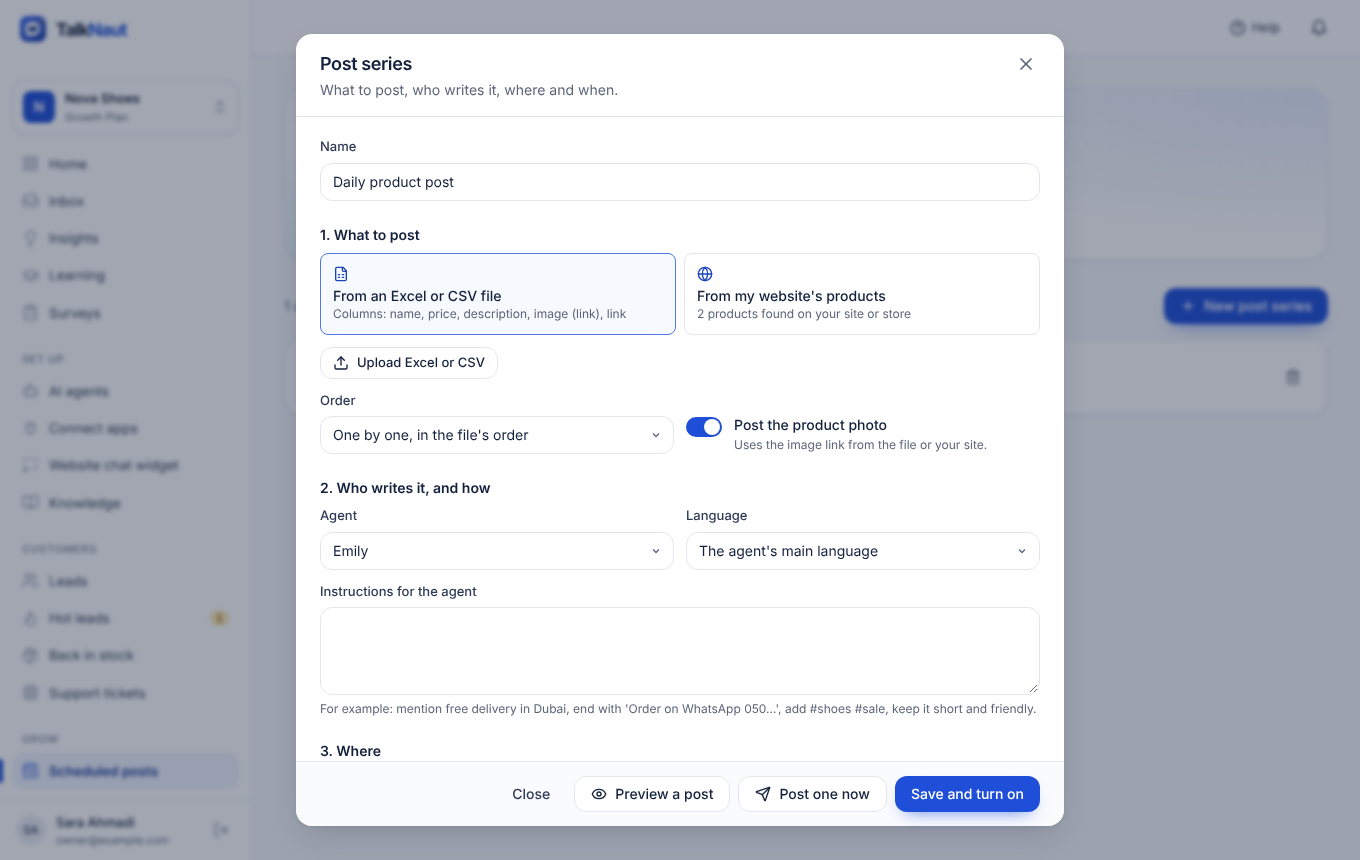
Common problems
Something not working? Find your message below.
“Last post failed” on Instagram
Instagram needs a photo (no text-only posts) and a professional account. Check the product has a photo, and reconnect Instagram if it asks for permission again.
My Telegram channel isn’t listed
Add your bot to the channel as an administrator with “Post messages” allowed, then reload.