AI agents and knowledge
Test your agent before customers do
Chat with any agent in the dashboard, try hard questions, and fix answers on the spot.
How to test
talknaut.com/app/agents
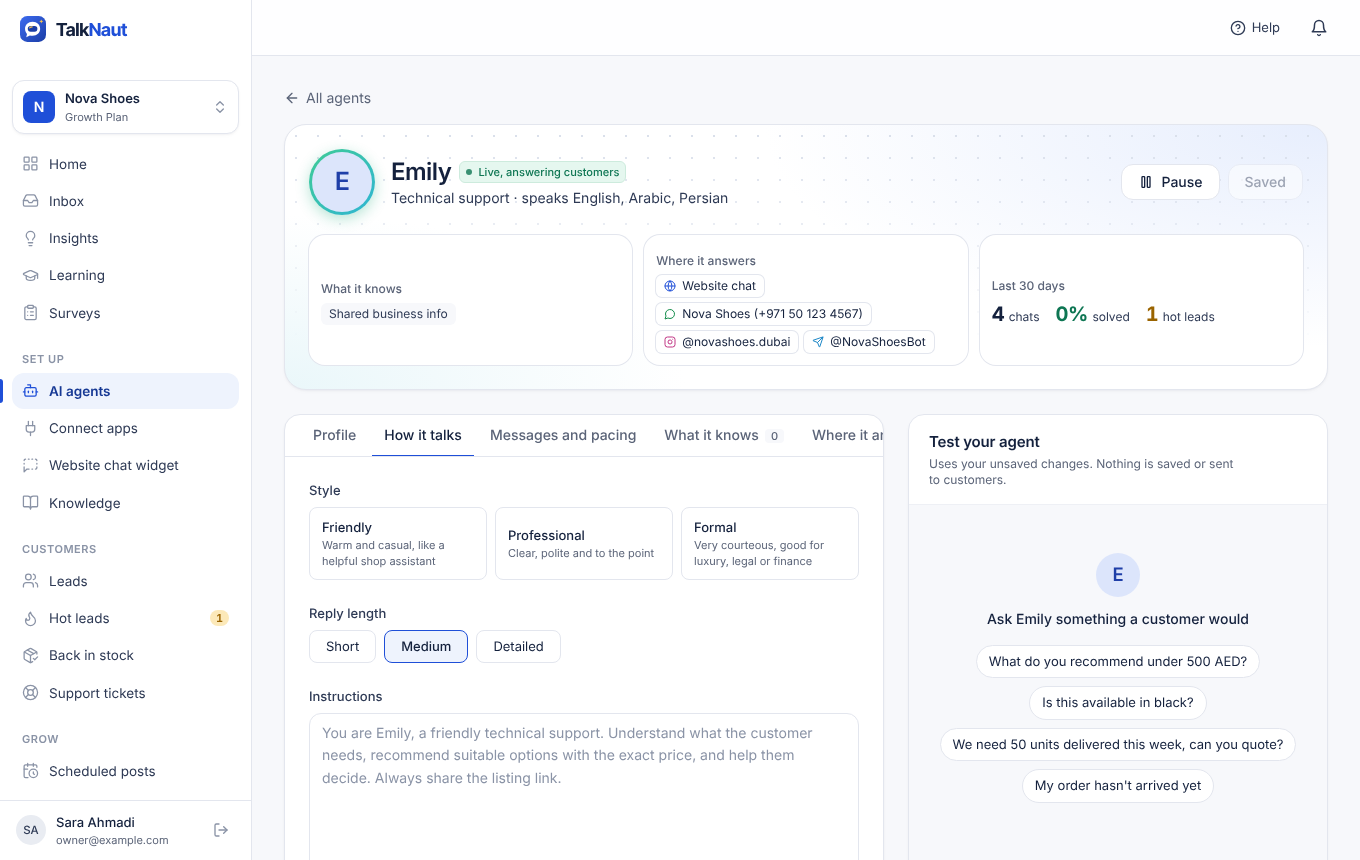
Open an agent and use the test chat. Try what real customers ask: prices, delivery, a complaint, a photo, another language, “can I talk to a person?”. If an answer is wrong, add the right one to knowledge and ask again.
A good test list
- “How much is …?” for 3 products
- “Do you deliver to …?”
- A question it shouldn’t know (it should say so, not invent)
- A message in Arabic or another language
- “I want to speak to a human”
Common problems
Something not working? Find your message below.
“The test chat hit a problem and was reported”
Reload the page and try again. The problem is reported to us automatically. If it keeps happening, tell us which agent and what you typed.
The test answers well but real chats don’t
Check the agent is the one answering on that app (Connect apps → the app → Who answers), and that it has the same knowledge.