Plans and how many accounts you can connect
Yes, you can connect several WhatsApp numbers, Instagram accounts and Telegram accounts. Here’s how many each plan allows and how to add more.
Can I connect more than one account?
Yes. Every WhatsApp number, Instagram account, Telegram account and Telegram bot you connect is one connected account. You can mix them however you like: for example 3 WhatsApp numbers + 2 Instagram accounts + 1 Telegram bot = 6 connected accounts. Website chat is always included and doesn’t count.
Each one can have its own agent (for example Arabic-speaking Layla on the Abu Dhabi number) or a chat team. All chats arrive in the same inbox, labelled with the account they came from.
What each plan includes
| Starter | Growth | Scale | |
|---|---|---|---|
| Price | $29 / month | $79 / month | $199 / month |
| Connected accounts (WhatsApp numbers, Instagram, Telegram) | 2 | 6 | 20 |
| Website chat | Included | Included | Included |
| AI agents | 2 | 6 | 20 |
| AI replies a month | 1,500 | 6,000 | 20,000 |
| Cloud browsers (marketplaces 24/7) | 1 | 3 | 10 |
| Team members | 2 | 6 | 25 |
| Workspaces (brands) | 1 | 2 | 5 |
The free trial includes 2 connected account and 2 agents. Need more than 20 accounts? Contact us.
See how many you’re using
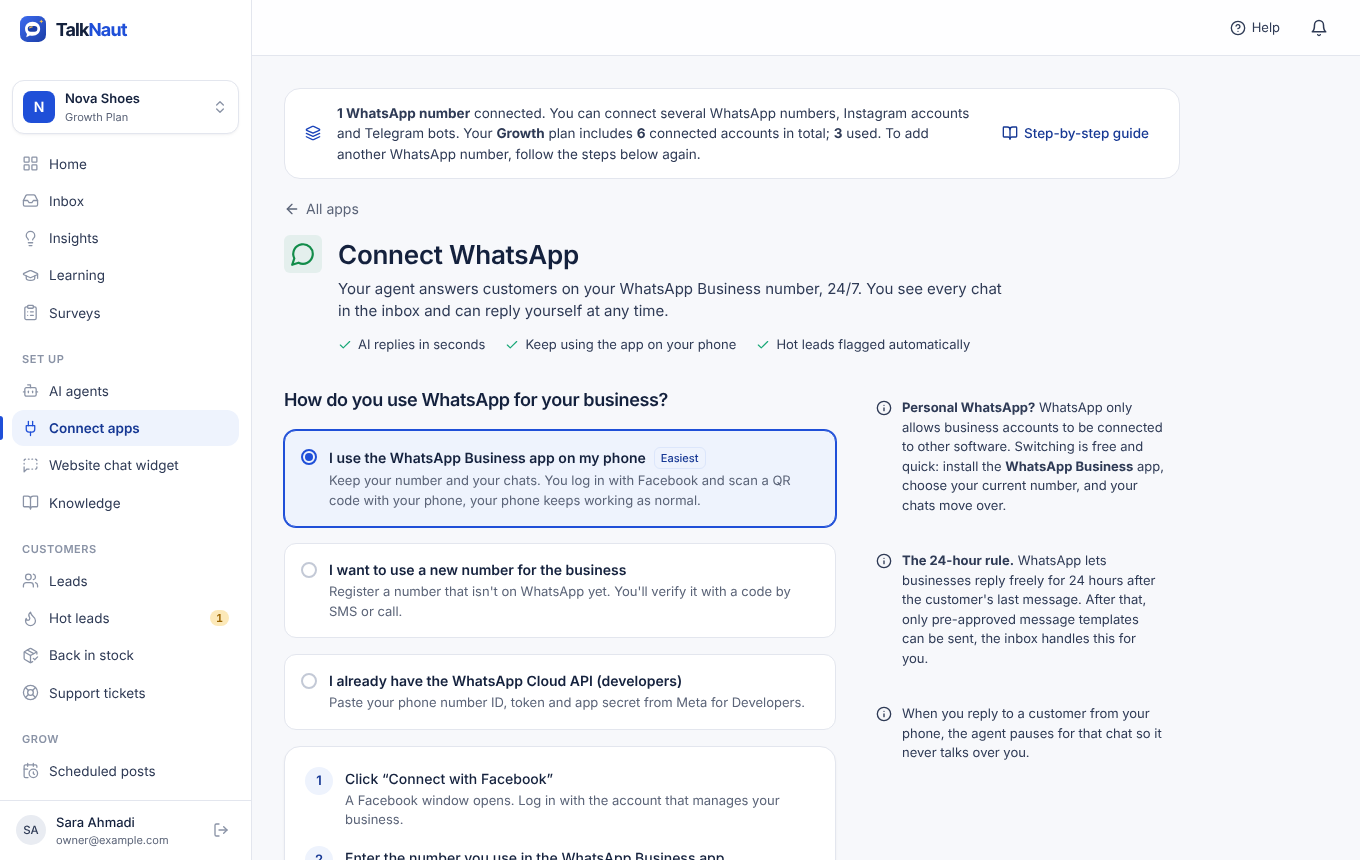
Two places show it. On every WhatsApp, Instagram and Telegram connect page, a banner at the top shows how many of that app you have and how many connected accounts your plan allows:
 12
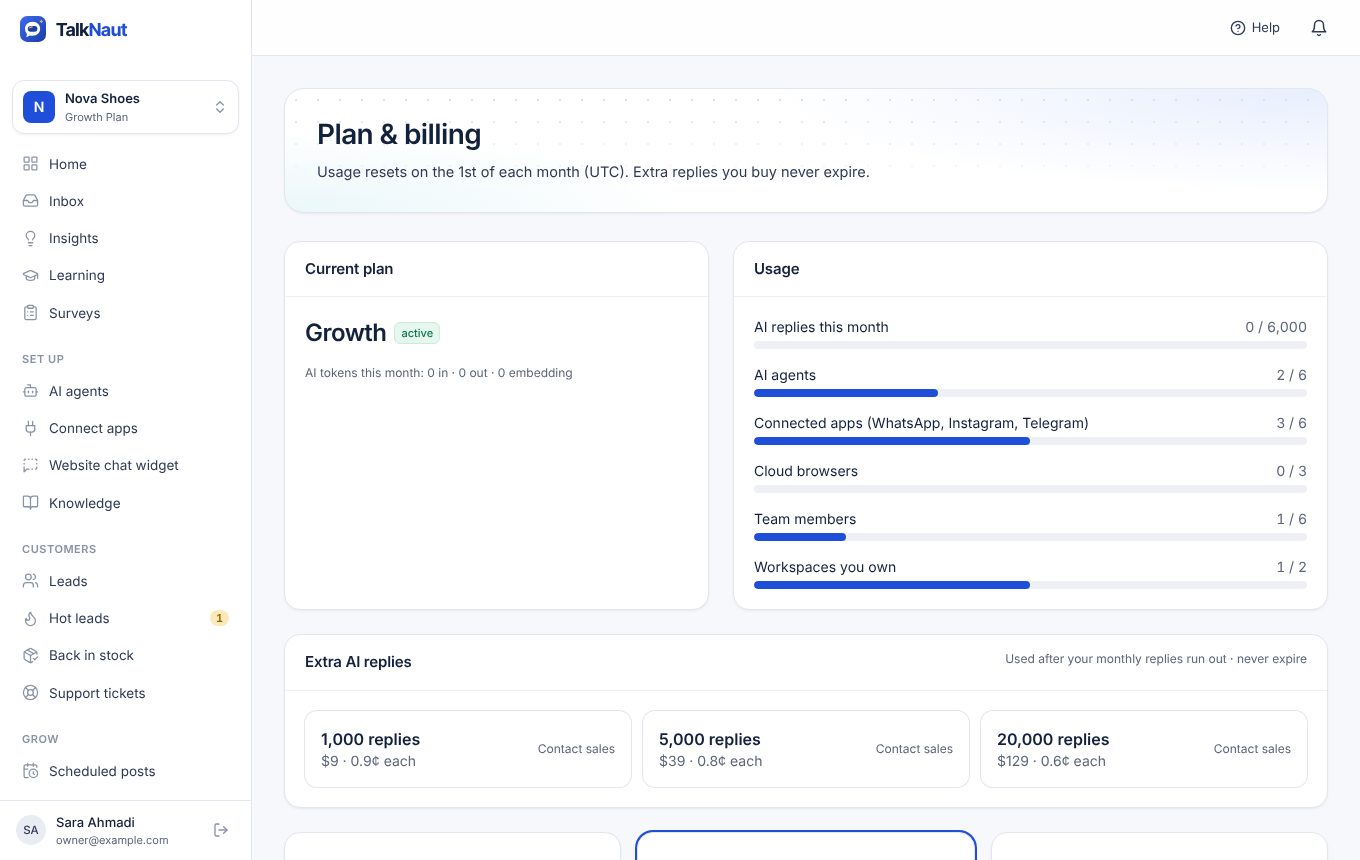
And Billing shows all your limits in one place:
Add another account
- 1
Open Connect apps and pick the app
Choose WhatsApp, Instagram or Telegram. Your existing connections are listed at the bottom of the page. - 2
Follow the connect steps again
Each time you finish the steps, a new connection is added; your existing ones keep working. Specific tips: another WhatsApp number, another Instagram account, another Telegram account or bot. - 3
Choose who answers there
Pick an agent or a chat team for the new account. It can be different from your other accounts.
When you reach your limit
Common problems
Something not working? Find your message below.