Connect Telegram (your account or a bot)
Let the agent answer inside your own Telegram account (customers see you), or create a bot with @BotFather in two minutes.
Which one should I choose?
- Customers see your name and photo, not a bot
- Answers the people who already message you
- Needs Telegram Premium
- Free, works on any account
- Customers message @YourShopBot
- Also lets you post to your Telegram channel
Option A: your own account
- 1
Choose “My own Telegram account” and press Connect my Telegram
Telegram opens. Press Start to confirm it’s you.
talknaut.com/app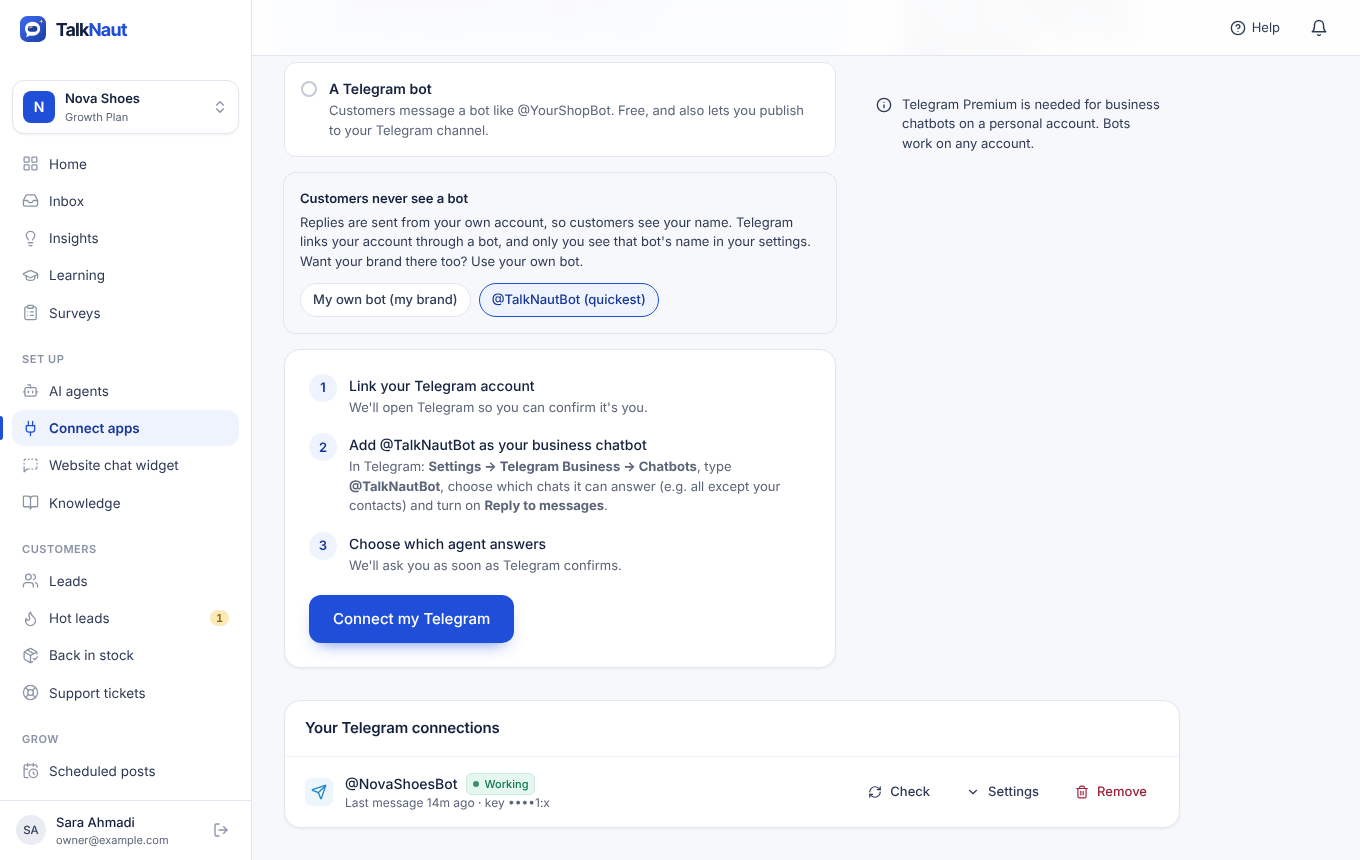 1
- 2
Add the bot as your business chatbot
In Telegram: Settings → Telegram Business → Chatbots. Type @TalkNautBot (or your own bot, see the tip), choose which chats it may answer (for example all except your contacts) and turn on Reply to messages.
Want your brand name in your settings instead of ours? Choose My own bot (my brand), create a bot as in Option B and use it here.9:41ChatbotsSettings → Telegram Business → ChatbotsAdd a bot@TalkNautBotChats accessible for the botReply to messagesNeeds Telegram Premium. Customers see your name, not a bot.
- 3
Choose which agent answers
TalkNaut asks as soon as Telegram confirms. Done.
Option B: a Telegram bot
- 1
Create the bot with @BotFather
In Telegram search @BotFather (blue tick), send
/newbot, give it a name and a username ending in “bot”. BotFather replies with a token.9:41BotFatherbot/newbotAlright, a new bot. How are we going to call it?Nova ShoesNow choose a username. It must end in “bot”.NovaShoesBotDone! Use this token to access the HTTP API:
7012345678:AAH9x…k2QCopy that token and paste it in TalkNaut.
- 2
Paste the token in TalkNaut
Choose A Telegram bot, paste the token and press Connect.
talknaut.com/app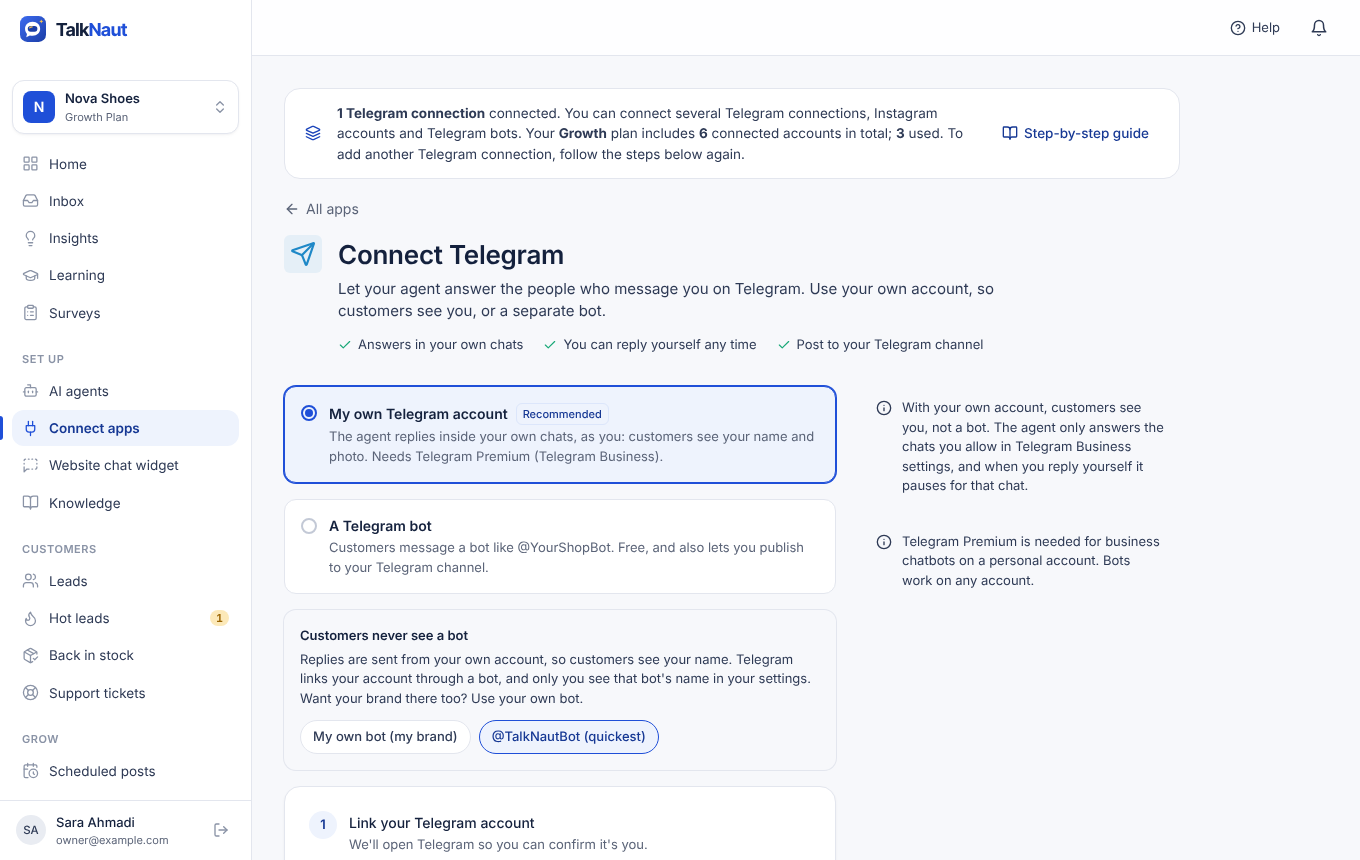 1
- 3
Choose who answers and test
Open your bot in Telegram (t.me/YourBot), press Start and say hello.
Connect another Telegram account or bot
Every bot token and every linked account is a separate connection. Another bot: create it in @BotFather and paste its token. Another account: log in to that account in the Telegram app, then press Connect my Telegram again from TalkNaut. They all appear under Your Telegram connections:
Common problems
Something not working? Find your message below.