Connect WhatsApp (WhatsApp Business app)
Keep your number, your chats and your phone. You log in with Facebook, scan a QR code and your agent answers next to you.
- Your business number is in the WhatsApp Business app (not normal WhatsApp), updated to the latest version
- The phone with that app is in your hand (you’ll scan a QR code)
- A Facebook account. It will own the business portfolio, so use one you’ll keep
- About 10 minutes
First: check which WhatsApp you use
Your business number must be in the WhatsApp Business app (it has a Business tools section in Settings), not in normal WhatsApp.
Needs 2.24.17 or newer. Update it from the App Store or Google Play.
Step by step
- 1
Open Connect apps → WhatsApp and choose the first option
Choose I use the WhatsApp Business app on my phone, then click Connect with Facebook below it.
talknaut.com/app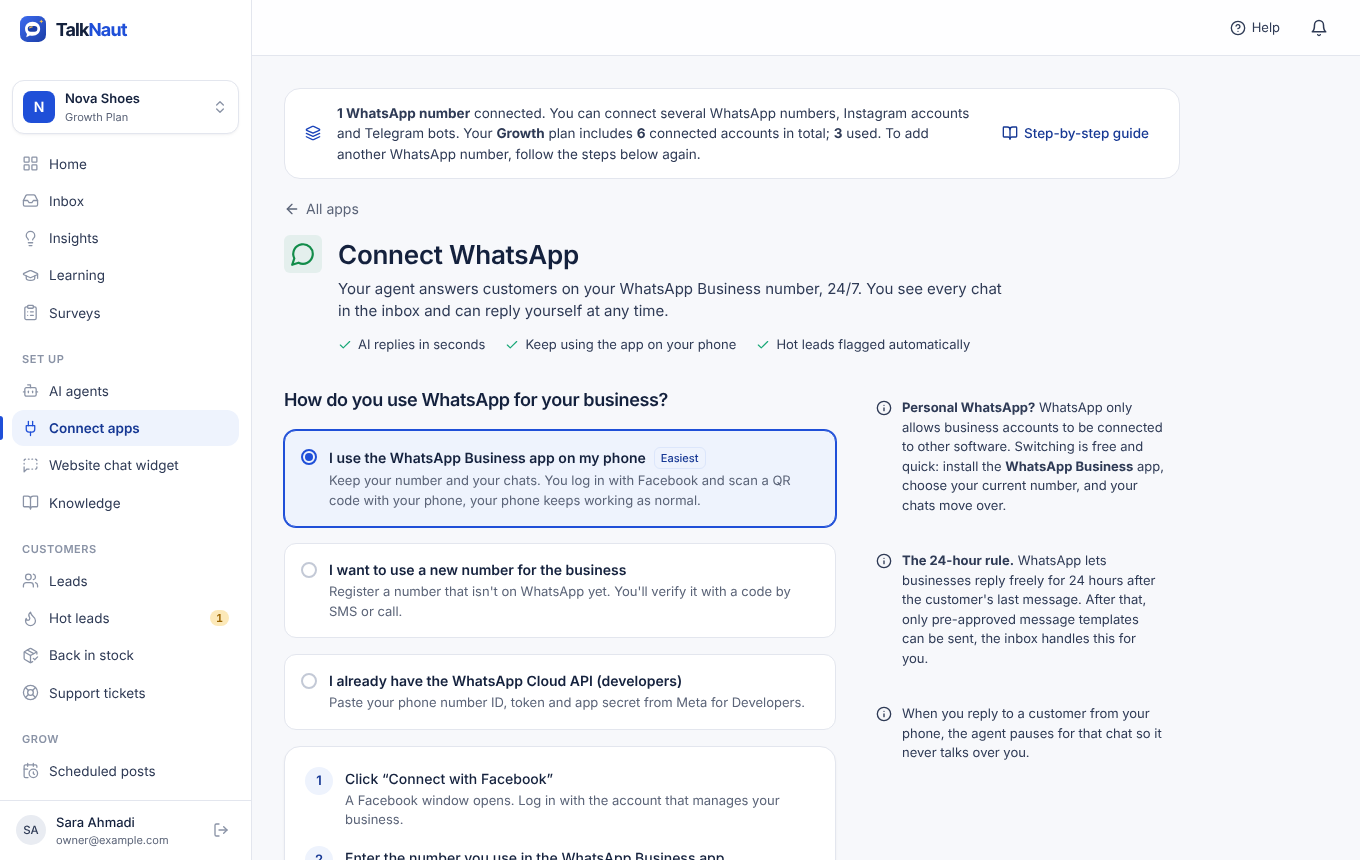 1
- 2
Log in with Facebook and continue
A Facebook window opens. Log in, press Continue, then pick your business portfolio (or create one with your business name).
The window didn’t open? Your browser blocked the pop-up. Click the blocked-pop-up icon in the address bar, choose “Always allow”, and click Connect again.facebook.comMeta⇄TalkNautContinue as Sara?TalkNaut will receive: your WhatsApp accounts and the ability to send and receive messages.
CancelContinuefacebook.comMeta⇄TalkNautSelect your business portfolioNova ShoesUse your existing business, or create one with your business name, country and website.
Next - 3
Type the number you use in WhatsApp Business
Choose Enter a new phone number (even though it already exists in the app), type it with the country code and press Next. Facebook recognises a WhatsApp Business app number and switches to a QR code automatically.
facebook.comMeta⇄TalkNautAdd your WhatsApp phone numberPhone numberEnter a new phone numberAE +97150 123 4567If this number is in the WhatsApp Business app, Facebook switches to the QR code automatically after you press Next.
BackNext - 4
Scan the QR code with your phone
Open WhatsApp Business on your phone. You’ll get a message with a Connect button: tap it and scan the code on your computer. Choose to share your chat history if you want recent chats and contacts in TalkNaut.
facebook.comMeta⇄TalkNautScan this QR code in the WhatsApp Business appWe also sent a message to your WhatsApp Business app with a link to this code.
9:41Facebook Businessofficial business accountConnect your WhatsApp Business app to TalkNaut. Tap Connect, then scan the QR code shown on your computer.
ConnectNext, choose whether to share your chat history (recent chats and contacts appear in TalkNaut).
9:41Scan QR codePoint your phone at the code on your computer
- 5
Finish and pick who answers
Press Finish in the Facebook window. Back in TalkNaut, choose who answers: Automatic (the best agent for each customer’s language and question) or Choose a chat team (a main agent plus specialists who take over for certain topics or languages).
talknaut.com/app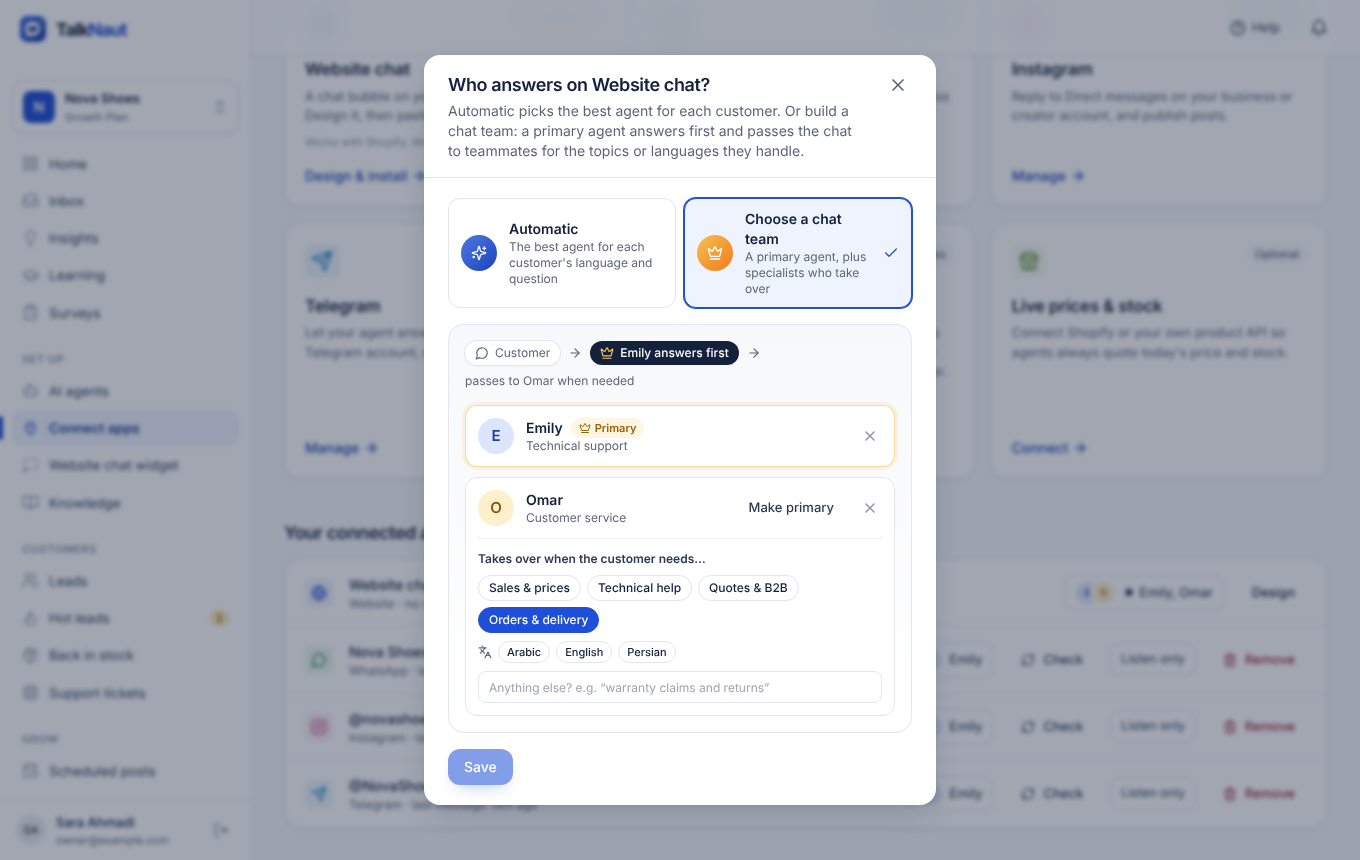
- 6
Test it
From another phone, send a message to your business number. The reply arrives in seconds and the chat appears in the inbox.
Using your phone after connecting
Your phone keeps working as normal. You and the agent see the same chats. When you reply from your phone, the agent pauses for that chat so you never talk over each other.
Connect another WhatsApp number
Repeat the steps with the other number. In the Facebook window pick the same business portfolio, then type the new number. Each number is listed separately and can have its own agent. How many you can add depends on your plan: see Plans and accounts.
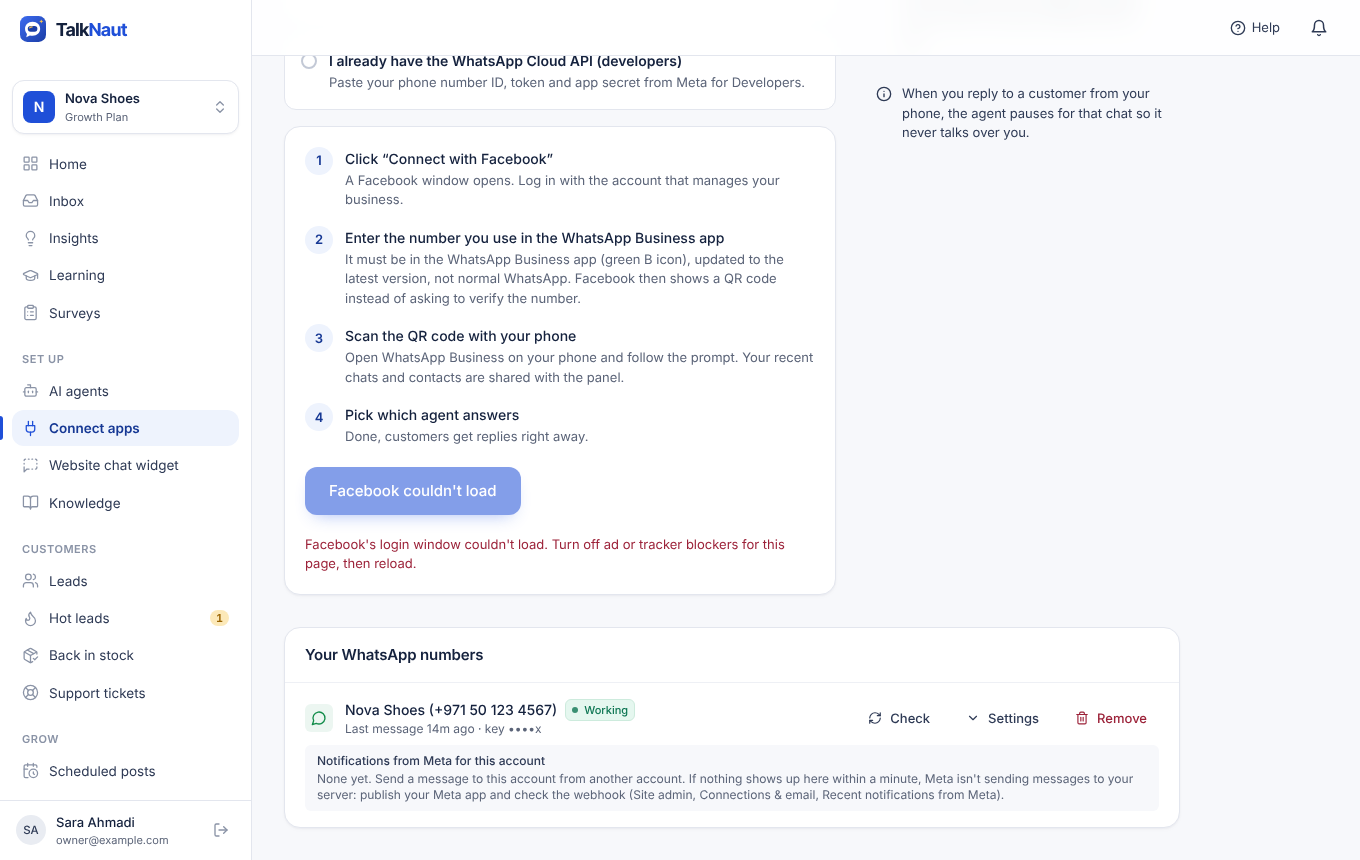
Does WhatsApp charge anything?
WhatsApp (Meta) bills some messages directly to you, separate from TalkNaut:
Replies within 24 hours of the customer’s last message. This is almost everything your agent sends.
Template messages you start yourself (after 24 hours, campaigns, back-in-stock alerts by template). Prices depend on the country.
WhatsApp charges for some messages, such as messages you start after 24 hours. Replies to customers are free.
That’s why Facebook may ask for a payment method. You can add one later in Meta Business Suite → Billing; you don’t need it for normal replies.
Common problems
Something not working? Find your message below.
“This phone number is already registered to a WhatsApp account”
Facebook didn’t recognise the number as a WhatsApp Business app number, so it tried to register it as a new one. Check, in this order:
- The number is in WhatsApp Business, not normal WhatsApp.
- The app is updated (Settings → Help → App info shows 2.24.17 or newer).
- You chose I use the WhatsApp Business app in TalkNaut, not “new number”.
- The number isn’t connected to another provider or chatbot tool. Disconnect it there first.
- You just switched to WhatsApp Business? Use it normally for a few days and try again.
If you want to move the number fully to the cloud (no app on the phone), delete the WhatsApp account in the app (Settings → Account → Delete account) and use a new number flow instead. You lose the chats on the phone, so try the checklist first.
My number shows “Ineligible” in the Facebook list
Facebook asks for payment details
Connected, but messages don’t appear in TalkNaut
- On the WhatsApp page, press Check next to the number. It tests the connection and tells you what’s wrong.
- Send a test from a different phone (messages you send to yourself don’t count).
- Check the workspace isn’t in listen-only mode (then chats appear, but nobody answers).
- If you run your own TalkNaut server: in Meta for Developers, the webhook must subscribe to
messages,smb_message_echoes,smb_app_state_syncandhistory.